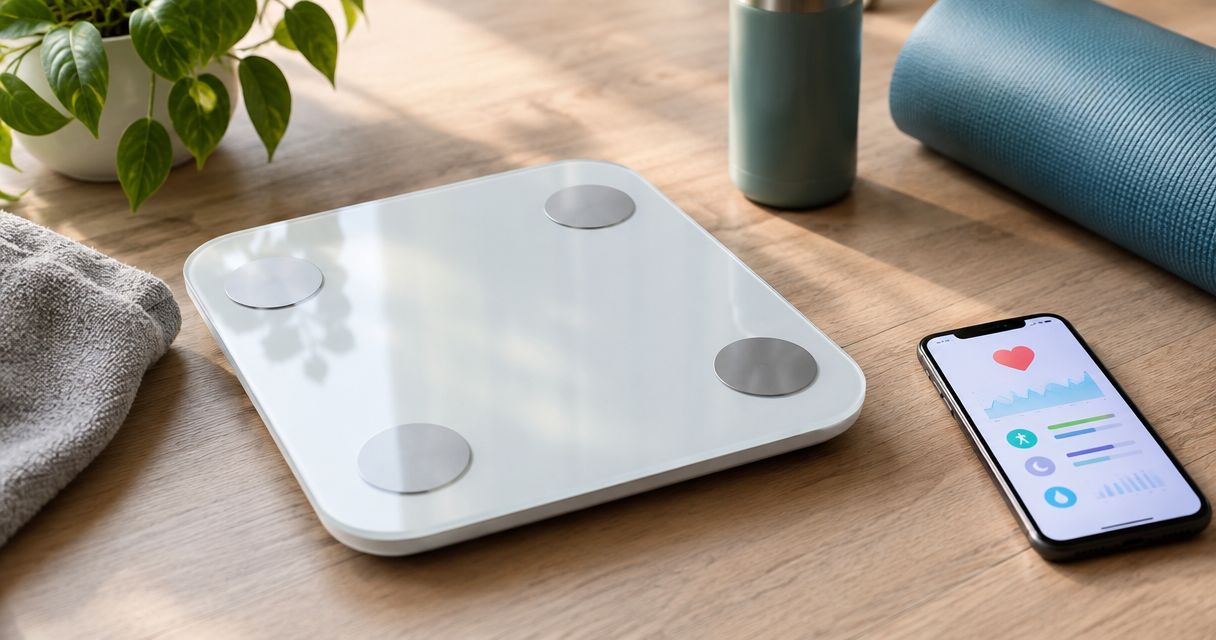
Best overall: Withings Body Smart. Best for detailed app-based tracking: Eufy Smart Scale P2 Pro. Best for a straightforward Bluetooth workflow: RENPHO Elis 1. For smart scale Apple Health integration in 2026, choose by what reaches Apple Health—not just what appears in the scale’s own app.
- Withings Body Smart is the default smart scale Apple Health integration pick for automatic weight tracking.
- Eufy Smart Scale P2 Pro suits readers who also want body composition detail in EufyLife.
- RENPHO Elis 1 suits readers comfortable using a Bluetooth-connected phone for their weigh-ins.
- Consider Actxa Sense 2 Smart Scale for body composition; verify its Apple Health workflow before choosing it for integration.
Why this matters
A smart scale measures your weight, but its connection to Apple Health determines where you can actually use that measurement. A body-fat estimate displayed in a manufacturer’s app does not automatically become a body-fat entry in Apple Health. Treat measurement capability and data sharing as separate buying decisions.
Your best choice in 2026 is the scale that fits your routine without creating another task you avoid. Wi-Fi helps move readings into a manufacturer’s account without keeping your phone beside the scale; Bluetooth makes the phone part of the transfer process. Neither connection type proves which Apple Health categories the companion app writes.
If you already use Actxa, the Sense 2 Smart Scale belongs on your body-composition shortlist. Keep the integration decision separate: choose a scale for Apple Health only after checking its companion app’s supported categories and permissions.
What makes the best Apple Health smart scale
These criteria put reliable weight tracking ahead of an impressive feature list:
- Weight transfer: The companion app must write body weight to Apple Health, not merely display it internally.
- Metric coverage: Check body-fat percentage and BMI separately. Support for weight does not establish support for every other measurement.
- Connection workflow: Decide whether you want Wi-Fi account syncing or a phone-connected Bluetooth routine.
- Profile separation: Shared scales need readings assigned to the correct person before those readings enter a personal health record.
- Measurement consistency: Favor a routine you can repeat on a hard, level surface under similar conditions.
- Data control: Check the permissions, data sources, and account requirements before committing to an app ecosystem.
The best Apple Health scale is the one that reliably transfers the measurements you use. Extra estimates have little value if you cannot interpret them or find them where you review your health data.
Apple Health smart scales at a glance
The first three options offer Apple Health connections through their companion apps. The Sense 2 entry is a conditional shortlist option for body composition, not an assertion of Apple Health compatibility.
| Rank and item | Best for | Standout feature | Key limitation |
|---|---|---|---|
| 1. Withings Body Smart | Automatic weight-tracking routines | Wi-Fi syncing with a Withings app connection to Apple Health | Manufacturer account syncing and Apple Health sharing are separate steps |
| 2. Eufy Smart Scale P2 Pro | Exploring body composition in a companion app | Wi-Fi and Bluetooth connections with EufyLife | Do not assume every EufyLife estimate transfers to Apple Health |
| 3. RENPHO Elis 1 | Phone-connected weigh-ins | Bluetooth workflow with the RENPHO Health app | Your phone connection is part of the syncing routine |
| 4. Actxa Sense 2 Smart Scale | Existing Actxa shoppers considering body composition | Measures beyond weight to describe body composition | Confirm Apple Health support and exported categories before choosing it for integration |
1. Withings Body Smart: best for automatic weight tracking
Withings Body Smart measures weight and estimates body composition, then connects those readings to the Withings app. Its Wi-Fi connection suits a bathroom routine where you step on the scale without bringing your phone along. Apple Health sharing still runs through the companion app and its permissions.
Best for: You want regular weight readings collected with less phone handling.
Withings Body Smart pros
- Wi-Fi supports a weigh-in routine without a phone beside the scale.
- Weight and body-composition tracking sit within the same companion app.
- Apple Health integration lets you review supported measurements alongside other health records.
Withings Body Smart cons
- Connecting the scale to its account does not finish Apple Health setup.
- Body-composition readings are estimates, not direct measurements of every tissue type.
- Household use requires correct profile assignment before sharing readings.
Withings Body Smart is the default pick for Apple Health users who want automatic weight tracking. That recommendation rests on the workflow, not a claim that its body-fat estimates outperform the other scales listed here.
For your 2026 setup, confirm weight sharing first. Then inspect the other categories individually rather than enabling permissions and assuming the whole dashboard transfers. A successful connection should produce a dated weight entry with the expected source in Apple Health.
Verdict: Buy Withings Body Smart for a Wi-Fi weight-tracking routine.
2. Eufy Smart Scale P2 Pro: best for companion-app detail
Eufy Smart Scale P2 Pro combines weight and body-composition tracking with the EufyLife app. Wi-Fi and Bluetooth give you more than one connection route. Its strongest use case is a reader who wants to explore the scale’s own body-composition dashboard while sharing supported measurements with Apple Health.
Best for: You intend to use EufyLife, rather than treating Apple Health as your only dashboard.
Eufy Smart Scale P2 Pro pros
- Wi-Fi and Bluetooth accommodate different syncing routines.
- EufyLife organizes weight and body-composition estimates together.
- Apple Health sharing provides a route for supported measurements into your broader health record.
Eufy Smart Scale P2 Pro cons
- The companion app’s full dashboard is not proof of equivalent Apple Health coverage.
- Extra estimates create more information to interpret, not automatic guidance about what to change.
- Body-composition readings remain sensitive to measurement conditions.
Choose Eufy Smart Scale P2 Pro when its companion app adds something you will actually use. If your only goal is a weight chart in Apple Health, a larger collection of estimates should not drive the decision.
Before settling into a routine, compare an individual reading in EufyLife with the corresponding entry in Apple Health. Check the measurement date as well as the value. This distinguishes a newly transferred reading from an older entry already stored on your phone.
Verdict: Buy Eufy Smart Scale P2 Pro for EufyLife body-composition tracking with Apple Health sharing.
3. RENPHO Elis 1: best for phone-connected weigh-ins
RENPHO Elis 1 uses Bluetooth to connect measurements to the RENPHO Health app, which supports Apple Health sharing. This workflow suits you if keeping your phone nearby during a weigh-in is already part of your routine. It puts the phone connection at the center of the process rather than relying on a Wi-Fi scale connection.
Best for: You prefer a deliberate weigh-in-and-sync routine on your iPhone.
RENPHO Elis 1 pros
- Bluetooth provides a direct connection between the scale and a nearby phone.
- RENPHO Health combines weight tracking with body-composition estimates.
- Supported measurements can feed into Apple Health after permissions are enabled.
RENPHO Elis 1 cons
- Reliable transfer depends on completing the phone-connected workflow.
- Forgetting to sync defeats the purpose of keeping Apple Health current.
- Its body-composition estimates need the same cautious interpretation as those from other consumer scales.
RENPHO Elis 1 is a workflow choice, not an accuracy shortcut. Pick it when the Bluetooth routine is convenient enough that you will keep doing it. If leaving your phone outside the bathroom is essential, prioritize a Wi-Fi option instead.
For 2026, check the app’s current permission screen rather than following an old setup screenshot. App layouts change; the required outcome does not. Your completed weigh-in should appear under the intended category and personal record.
Verdict: Buy RENPHO Elis 1 if a phone-connected routine fits your habits.
4. Actxa Sense 2 Smart Scale: best for an Actxa shortlist
Actxa Sense 2 Smart Scale goes beyond weight to provide body-composition information. It belongs on the shortlist of health-conscious shoppers considering the Actxa wellness range. For this particular guide, its Apple Health connection must be confirmed before it becomes an integration recommendation.
Best for: Existing Actxa shoppers evaluating a body-composition scale.
Actxa Sense 2 Smart Scale pros
- Tracks beyond body weight to provide body-composition information.
- Gives existing Actxa shoppers a scale option within the brand they are considering.
- Fits a buying decision focused on weight and body metrics rather than wearable measurements.
Actxa Sense 2 Smart Scale cons
- Apple Health support needs confirmation before you choose it for that purpose.
- Exported measurement categories need checking separately from the scale’s measurement capabilities.
- Body-composition estimates do not replace a clinical assessment.
Actxa Sense 2 Smart Scale is best for Actxa shoppers seeking body-composition tracking, with Apple Health compatibility verified before purchase. Ask specifically about body weight, body-fat percentage, and the required iPhone app. A general answer about app connectivity does not resolve those questions.
If Apple Health is a non-negotiable requirement, keep the decision conditional until the connection and categories are clear. Brand familiarity should simplify your shopping, not replace the compatibility check.
Verdict: Hold Actxa Sense 2 Smart Scale for this use case until Apple Health support is confirmed.
How to check the Apple Health connection
A completed account connection is not the same as a completed data transfer. Use this sequence during setup, then repeat the final check whenever you change phones or reinstall the companion app.
- Connect the scale. Finish the manufacturer’s app setup and assign the scale to your own profile.
- Enable sharing. Open the app’s Apple Health connection and allow the categories you want it to write.
- Record weight. Take a fresh reading on a hard, level floor using the intended profile.
- Check the entry. In Apple Health, inspect the weight record’s date, value, unit, and source.
- Review sources. Check for overlapping entries from other apps or manually entered records.
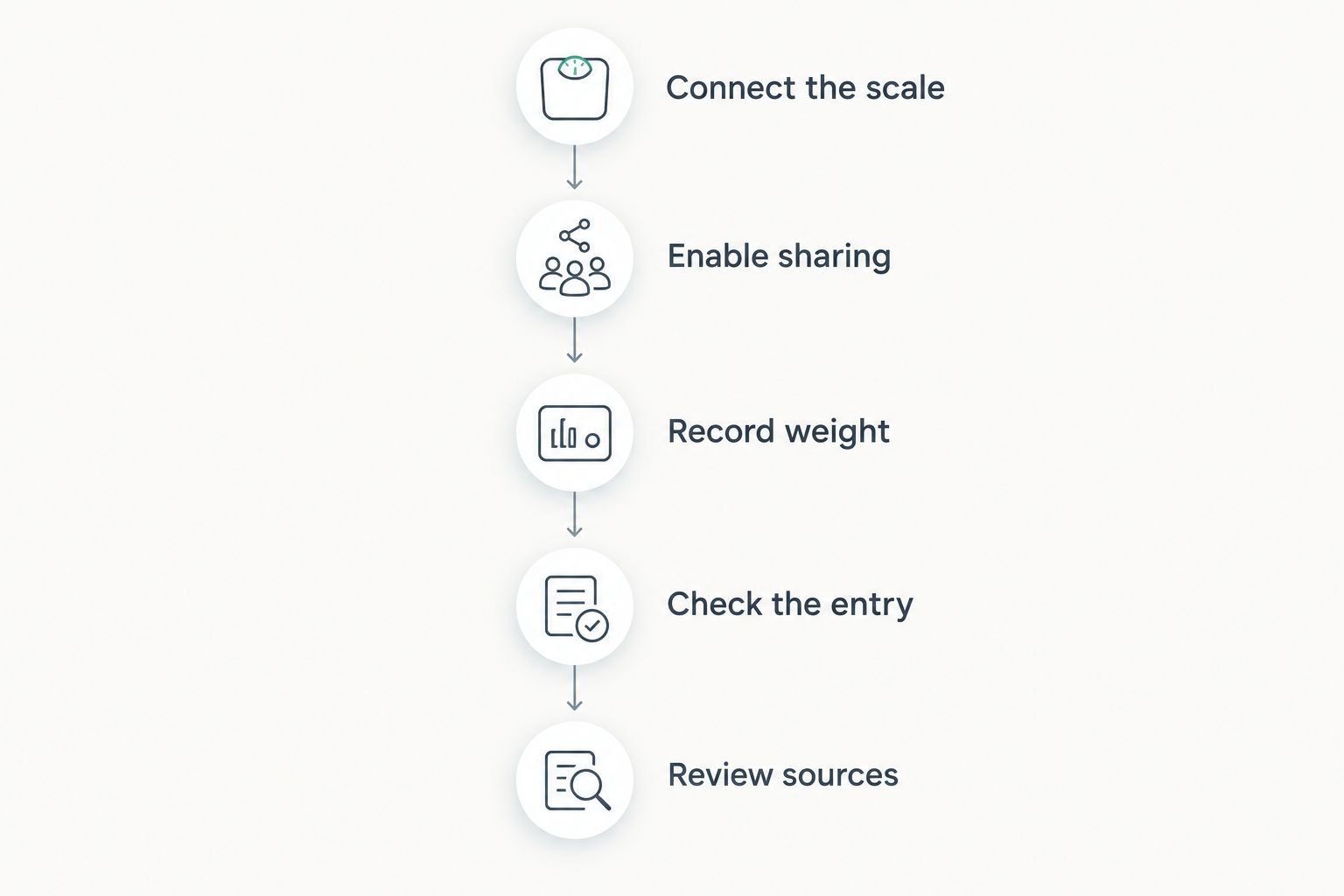
Repeat the test over 2 consecutive weigh-ins before treating the connection as dependable. This is a practical setup check, not a claim about measured product reliability. If either reading is missing, resolve the connection before relying on the chart.
For a shared scale, check each person’s workflow separately. Apple Health is a personal record; a household measurement assigned to the wrong profile can distort the history even when the transfer itself works correctly.
Read trends without overreading body fat
Consumer body-composition scales commonly use bioelectrical impedance to estimate body fat and related metrics. Hydration and recent activity affect these estimates. Weight and estimated body composition therefore deserve different levels of confidence.
Start with 1 weigh-in per day under similar conditions for 7 days if you want to establish a consistent routine. These are suggested tracking intervals, not a requirement or a promise of accuracy. Avoid adding repeated readings just to search for a more reassuring result.
Keep these distinctions clear:
- Body weight: A scale reading you can review as a trend.
- Body-fat percentage: An estimate influenced by the measurement method and conditions.
- BMI: A calculation based on weight and height, not a direct body-fat measurement.
- Muscle mass: An estimated category whose meaning depends on the manufacturer’s method.
Do not treat every chart in Apple Health as equally precise. A smooth graph can still contain inconsistent measurements, incorrect profile assignments, or duplicate records. Better syncing preserves data; it does not validate the underlying estimate.
How we ranked these smart scales
This 2026 ranking prioritizes the connection workflow, supported Apple Health sharing, and usefulness of the companion app. Withings Body Smart takes the default slot for Wi-Fi weight tracking; Eufy Smart Scale P2 Pro takes the app-detail slot; RENPHO Elis 1 takes the phone-connected slot.
The ranking does not claim a laboratory accuracy winner. Actxa Sense 2 Smart Scale remains conditional because a body-composition feature list alone does not establish Apple Health integration.
Which Apple Health smart scale should you choose?
Choose Withings Body Smart if you are undecided and want a Wi-Fi weight-tracking routine. Choose Eufy Smart Scale P2 Pro if you also intend to use EufyLife’s body-composition dashboard. Choose RENPHO Elis 1 if you are comfortable making your phone part of every sync.
Keep Actxa Sense 2 Smart Scale on your shortlist when the brand and body-composition function match your needs, but confirm the integration first. In 2026, the deciding question remains simple: does the measurement reach the health record you actually use?
FAQ
What's the best smart scale for Apple Health integration in 2026?
Withings Body Smart is the default pick for a Wi-Fi weight-tracking routine with Apple Health sharing through its companion app. Eufy Smart Scale P2 Pro suits companion-app detail, while RENPHO Elis 1 suits phone-connected Bluetooth weigh-ins.
Do smart scales connect directly to Apple Health?
The scales in this guide use companion apps to share supported measurements with Apple Health. Connecting the scale to its app and permitting that app to write health data are separate setup steps.
Does every body-composition measurement sync to Apple Health?
No, a measurement shown in a scale's app does not establish that it transfers to Apple Health. Check each supported category and its write permission separately.
Is a Wi-Fi smart scale better than a Bluetooth scale?
Wi-Fi is better for a routine that does not depend on keeping your phone beside the scale. Bluetooth suits deliberate phone-connected weigh-ins; neither connection type proves better body-composition accuracy.
Does Actxa Sense 2 Smart Scale work with Apple Health?
Confirm Apple Health compatibility and supported measurement categories before choosing Actxa Sense 2 Smart Scale for this purpose. Its body-composition function alone does not establish an Apple Health connection.
Why isn't my new scale reading appearing in Apple Health?
Check the companion app's sharing permissions, the completed scale connection, and the profile assigned to the reading. Then inspect Apple Health's weight entries and data sources for the correct date and value.
Can several people share a smart scale with Apple Health?
Sharing requires correct profile assignment and a separate personal syncing workflow for each user. Verify the scale's household setup before relying on it to keep everyone's records separate.
Are smart-scale body-fat readings medical measurements?
Consumer smart-scale body-fat readings are estimates, not a substitute for clinical assessment. Use consistent measurement conditions and avoid treating a single change as a diagnosis.
One last thing
Test the destination, not just the connection. An app can show a successful link while the category you care about remains empty. Open the actual weight record in Apple Health and inspect its source; that final check tells you whether your new routine is working.